Payroll Variances
The Payroll Variances for any payrun can be viewed by selecting the payroll variance number in either the ‘Payrun Information section’ of the Pay Group Dashboard or in the ‘Payrun Details’ section of the Payroll Dashboard.
This column only shows if ‘RQ089 - Payroll Report by Employee Details by Variance’ is being used. This is the variances identified in the payrun between this pay period and the previous pay period. If RC089 is not being used then the column will not display.
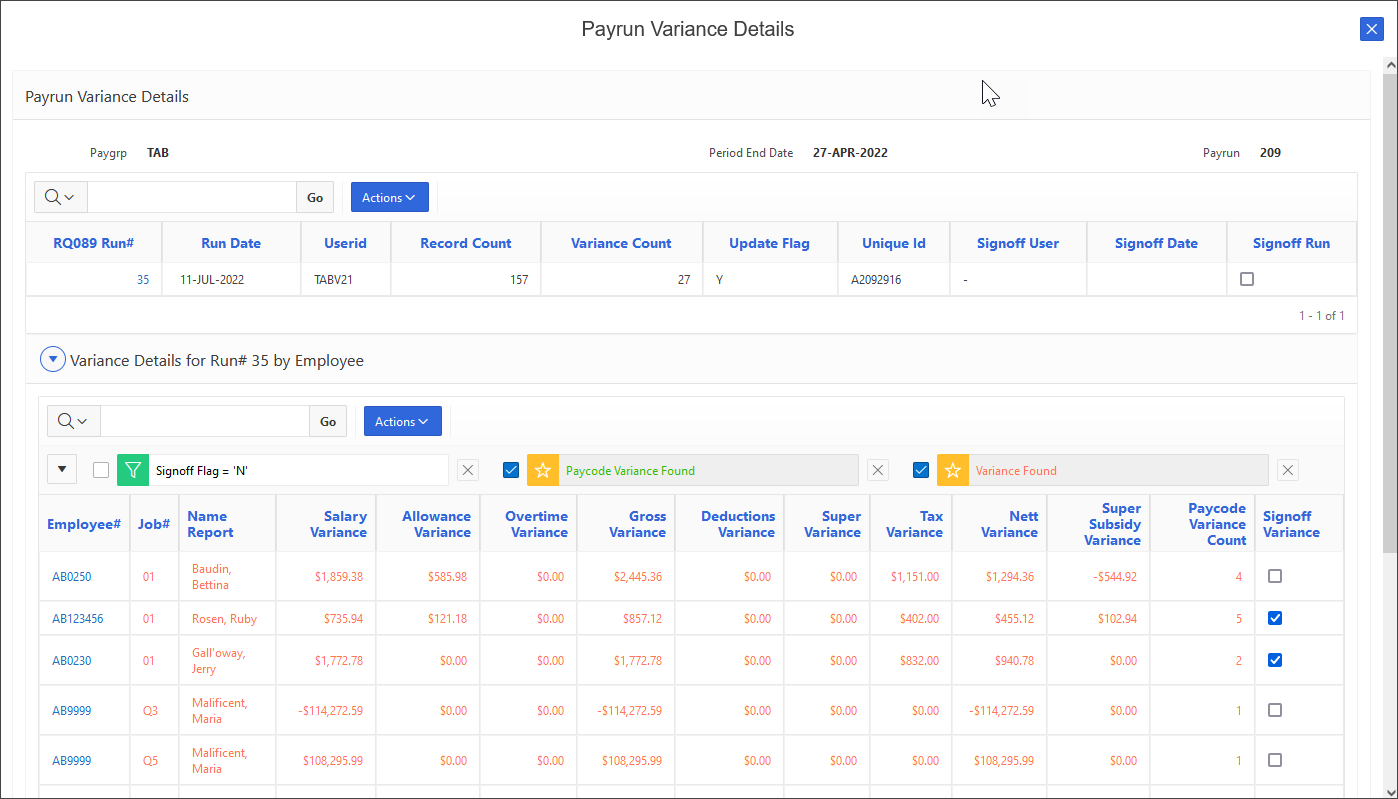
When the variance amount is selected, the following screen will display:
This screen displays the same information as in ‘FQ090 - Payroll Variance Details and Signoff’ in PUI (from V20 onwards).
The top section will show all runs of RQ089 for this pay period/paygroup.
Select the unique ID to view the report output file for RQ089 (if the report output file is available for download and the report output is not blocked for downloading for this report).
Select the run# to display the details and variances for that run#.
The total variance for each paytype will show at employee level. If variances exist then the records will show in red. If there are variances between the different paytype records but the totals for the employee balance then the record will show in green.
To see details of the employee’s records at paycode level, select the employee#. The following section will show below:
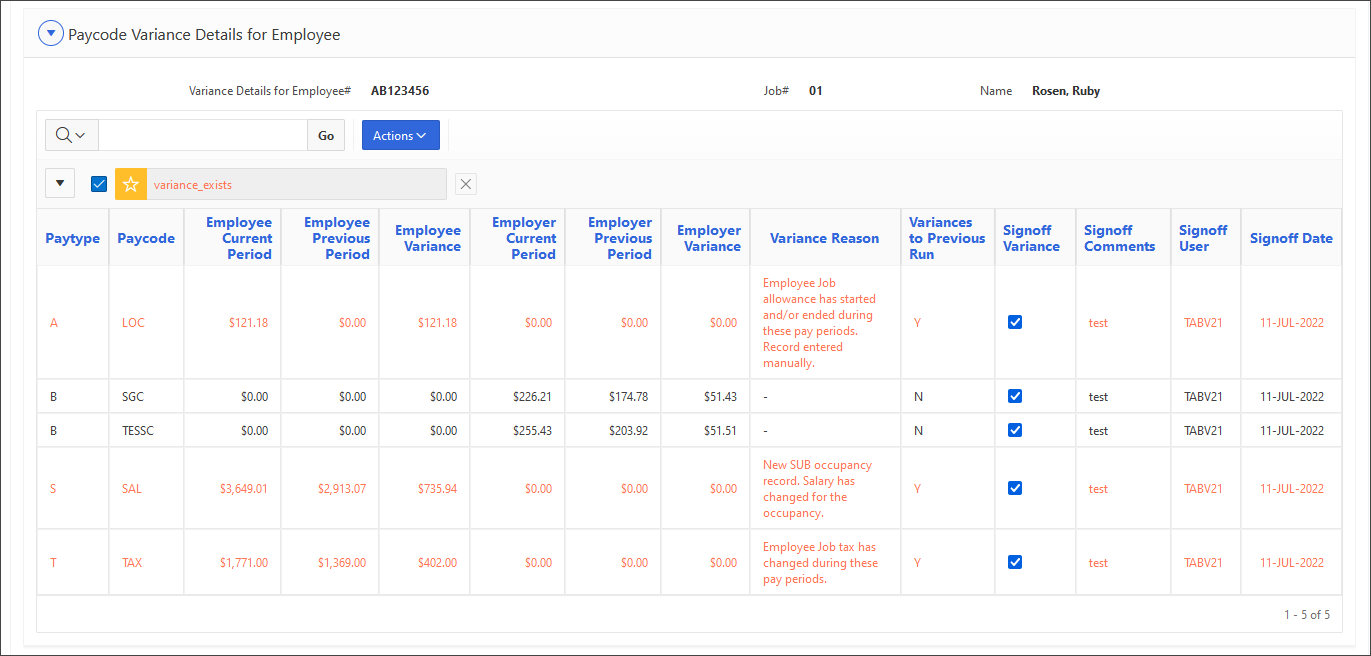
Records containing variances between this period and last will show in red with a suggested variance reason for each record.